

Prompt guide
Complete guide for Collectible Toy Café Diorama
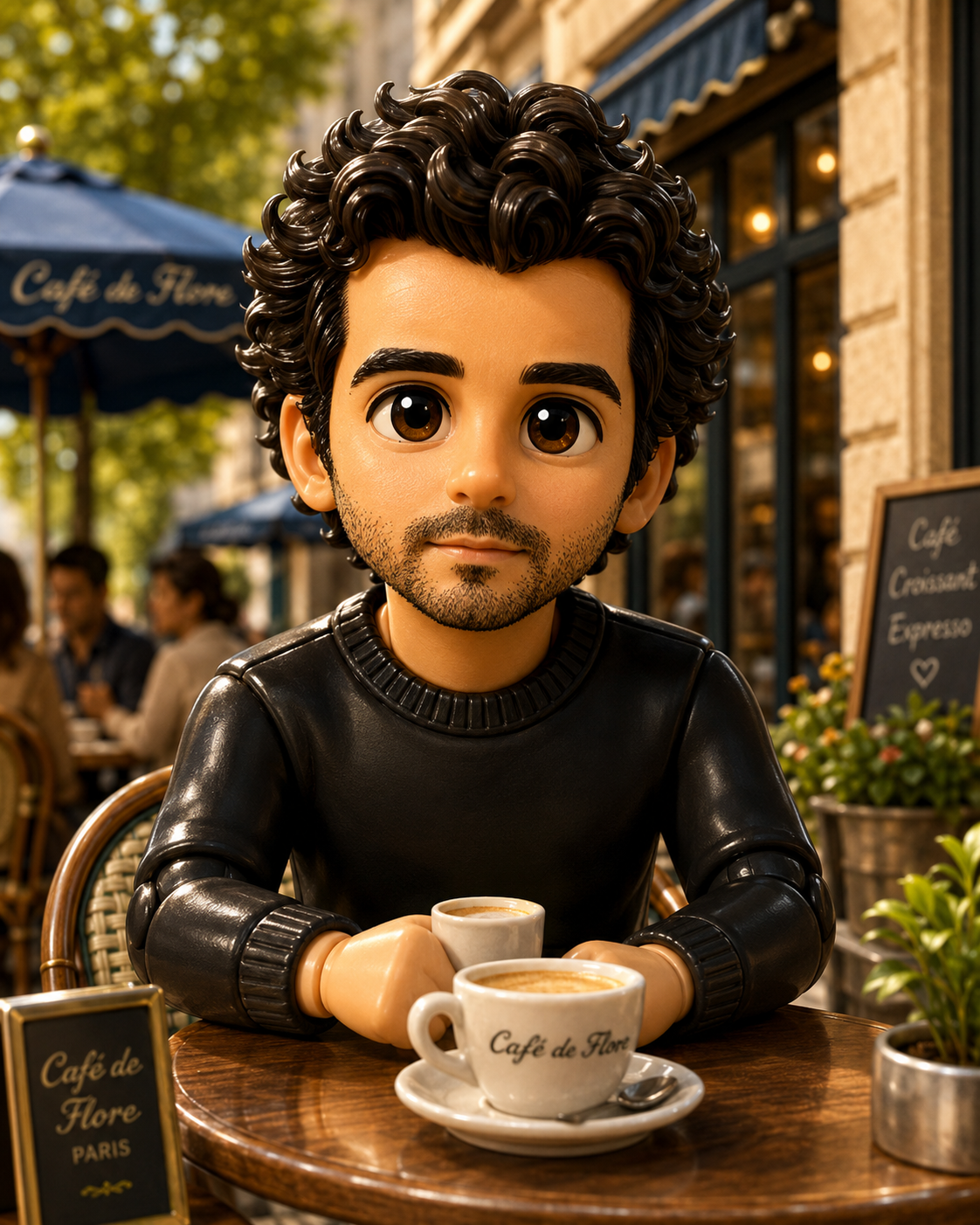
The Collectible Toy Café Diorama prompt transforms an uploaded person or group photo into a premium 3D designer vinyl toy scene set in an elegant outdoor café. It keeps the same main person or people from the reference image, preserves their number and recognizable identity, and reimagines them as glossy collectible figures placed inside a cinematic miniature diorama. The result is not a normal portrait, a sticker or a generic toy mockup; it is a stylized scene that should look like a high-end collectible product render.
This template is useful for users who want playful but polished image-to-image transformations. The prompt gives detailed instructions for toy material, café props, miniature scale, table setting, coffee-related objects, lighting, centered composition and premium render quality. At the same time, it protects the uploaded identity by requiring the same main people, recognizable faces, hairstyle, clothing cues and overall personality. This balance is what makes the output feel custom rather than like a random vinyl figure.
The café environment makes the image especially suitable for social posts, profile transformations, gift images, creator thumbnails and fun brand visuals. It has a warm lifestyle feel, but the strict rules avoid readable text, logos, brand names, clutter, missing people, extra people and low-quality 3D artifacts. The aspect ratio field lets users format the diorama for square posts, vertical mobile visuals or wider compositions while keeping the same core concept.
How to use this prompt
- 1
Upload a clear person or group photo where every main subject is visible. The prompt is designed to preserve the same number of people in toy form.
- 2
Choose the aspect ratio according to where the diorama will be used. Square works well for posts, vertical for mobile and wider ratios for banners or thumbnails.
- 3
Keep the full prompt when generating so the AI preserves identity, creates glossy vinyl figures and includes the café diorama instead of a generic toy portrait.
Best use cases
Creating playful collectible-style portraits for social media, profile updates or personal gifts.
Turning couple, family or friend photos into a polished miniature café scene.
Producing creator thumbnails or promotional visuals with a premium toy-render aesthetic.
Tips for better results
Use photos with clear faces and distinctive clothing so the vinyl figures can retain recognizable details.
Avoid crowded group photos where people overlap heavily, because the model may miss or merge subjects.
If the café scene becomes too busy, regenerate with a simpler aspect ratio and keep the centered diorama rules intact.
Common mistakes to avoid
Uploading a low-resolution group photo can make the toy faces generic and reduce identity preservation.
Adding brand names or café logos conflicts with the no-text and no-logo rules.
Deleting the validation block can produce a normal portrait, a flat cartoon or a toy without the required café environment.
Final recommendation
Use this prompt when you want a charming designer-toy version of real people inside a polished café diorama. Clear references and the complete structure are what make the result feel custom and premium.